
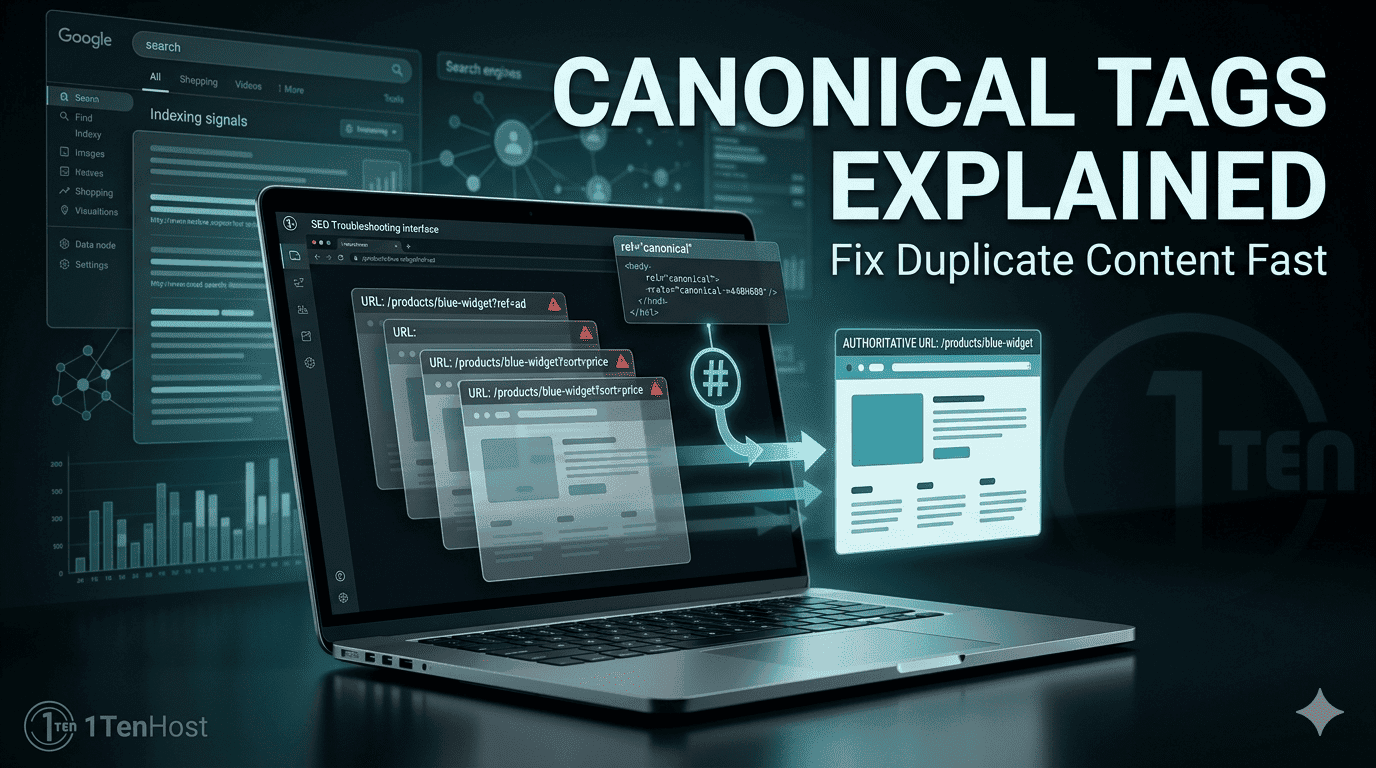
Learn how canonical tag SEO works, fix duplicate content issues, and improve rankings with this simple, practical guide for beginners.
Introduction
Duplicate content can quietly damage your website’s SEO.
You might not even realise it’s happening. The same page could exist under different URLs, or similar content might appear across multiple pages. To search engines, that creates confusion.
Which version should be ranked?
That’s where canonical tags come in.
If used correctly, they tell search engines exactly which version of a page is the main one. This helps protect your rankings, consolidate authority, and avoid SEO issues.
In this guide, you’ll learn what canonical tags are, why they matter, how to implement them, and how to avoid common mistakes.
What Is Canonical Tag
A canonical tag is a piece of HTML code that tells search engines which URL is the preferred version of a page.
It looks like this:
<link rel="canonical" href="https://example.com/main-page/" />This means:
“This is the original or main version of this content.”
What is rel canonical
The term “rel canonical” simply refers to the relationship attribute used in the tag. It signals that one page is the authoritative version among duplicates or similar pages.
Why It Matters
Search engines like Google try to avoid showing duplicate content in search results.
Without canonical tags, you may face:
- Split ranking signals
- Lower search visibility
- Duplicate indexing issues
- Wasted crawl budget
Real example
Imagine you have:
- example.com/product
- example.com/product?ref=ad
- example.com/product?sort=price
All three show the same content.
Without a canonical tag, search engines may treat them as separate pages. With a canonical tag, you tell them which one to prioritise.
Implementation
Setting up canonical tags is straightforward once you understand the basics.
HTML Tag Setup
You add the canonical tag inside the <head> section of your page.
Example:
<link rel="canonical" href="https://yourwebsite.com/preferred-page/" />Where to use canonical tags
- Duplicate product pages
- Pagination and filters
- HTTP vs HTTPS versions
- www vs non-www versions
CMS support
If you’re using platforms like WordPress, many SEO plugins handle canonical tags automatically.
Common Errors
Mistakes with canonical tags can cause serious SEO problems.
Wrong Canonicals
One of the biggest issues is pointing to the wrong URL.
For example:
- Canonical points to a non-existent page
- Canonical points to a different product or topic
This confuses search engines and can hurt rankings.
Other common mistakes
Self-referencing missing
Each page should ideally have a canonical tag pointing to itself.
Multiple canonical tags
Having more than one on a page creates conflict.
Canonical loops
Page A points to B, and B points back to A.
Blocking canonical pages in robots.txt
If a canonical page is blocked, search engines can’t access it properly.
Tools
You don’t have to guess whether your canonical tags are working.
Here are some tools that help:
- Google Search Console
- SEO audit tools
- Browser inspection tools
These tools allow you to:
- Check canonical URLs
- Identify duplicate content
- Fix technical SEO issues
Best Practices
To get the most out of canonical tag SEO, follow these simple rules.
Use self-referencing canonicals
Every page should point to itself as the default version.
Keep URLs consistent
Avoid mixing:
- HTTP and HTTPS
- www and non-www
Pick one version and stick with it.
Don’t rely on canonicals alone
Canonical tags are hints, not strict rules.
For better results, combine them with:
- Proper redirects
- Clean site structure
Avoid unnecessary duplication
If possible, reduce duplicate content instead of just managing it.
Always test your setup
After implementation, check if everything works correctly.
Why Canonical Tag SEO Matters
Canonical tags help search engines understand your website structure.
They ensure:
- Your main pages get proper credit
- Duplicate pages don’t compete with each other
- SEO signals are consolidated
For businesses targeting competitive markets like Europe or growing locally in Karachi, even small technical improvements can have a noticeable impact.
FAQ Section
What is a canonical tag in SEO?
It’s an HTML tag that tells search engines which version of a page is the main one.
When should I use a canonical tag?
Use it when you have duplicate or similar content across multiple URLs.
Does a canonical tag improve rankings?
It doesn’t directly boost rankings, but it helps consolidate SEO signals and avoid duplicate issues.
What is the difference between canonical and redirect?
A redirect sends users to another page, while a canonical tag tells search engines which page to prioritise.
Can I use canonical tags across domains?
Yes, you can point to a preferred version on another domain if needed.
Conclusion
Canonical tags may seem like a small technical detail, but they play a big role in keeping your SEO clean and effective.
They help search engines understand your content, avoid confusion, and give proper credit to the right pages.
If you manage your website carefully and apply these best practices, you’ll avoid common duplicate content issues and build a stronger SEO foundation.
And if you’re not sure whether your site has canonical issues or you’d rather have someone handle the technical side, getting expert help can save time and prevent costly mistakes. You can explore solutions at 1tenhost.com, reach out via email at info@1tenhost.com, or send a quick message on WhatsApp at https://wa.me/923451151625. It’s a simple way to make sure your website is fully optimised and working as it should.

1TenHost.com





Leave a Reply